Stamp cards & member levels
"Buy 9 milk teas, the 10th is free", and Silver and Gold members who earn more points.
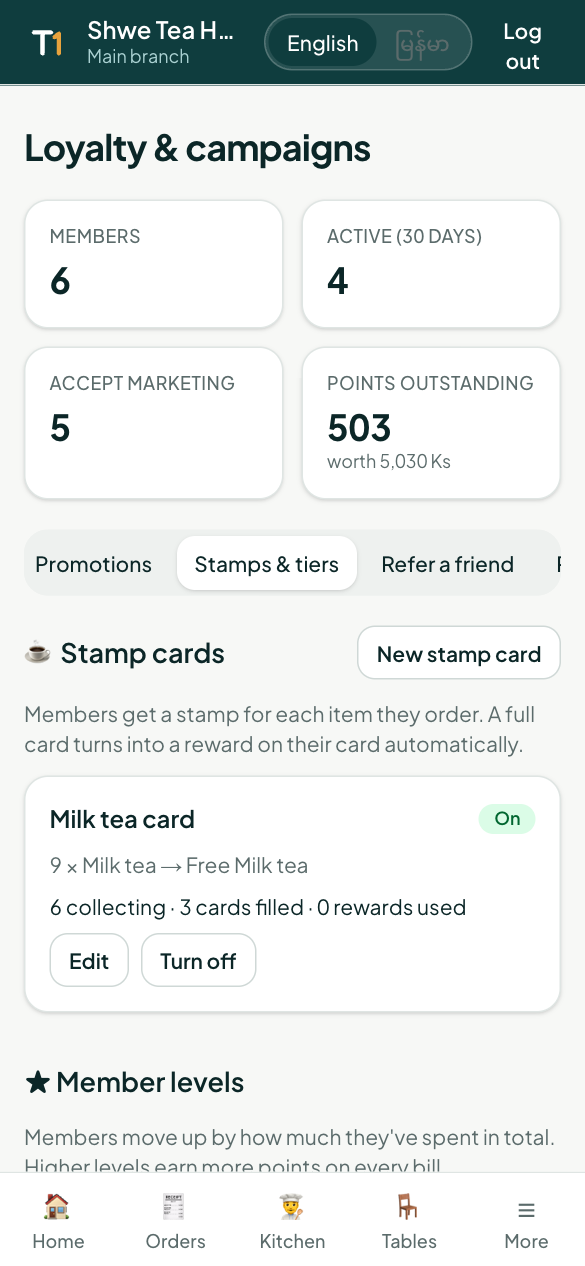
Points can feel abstract. Stamp cards and member levels are easy for diners to understand, and they give regulars a reason to come back more often. Open Loyalty & campaigns → Stamps & tiers.
Stamp cards
A stamp card rewards ordering the same thing again and again.
- Tap New stamp card.
- Name the card, for example Milk tea card.
- Tick the menu items that earn a stamp. Each one ordered gives one stamp.
- Choose how many stamps fill the card (for example 9).
- Choose the reward for a full card, for example a free Milk tea.
- Tap Save.
When a member pays, they get one stamp for each of those items on the bill. A full card turns into a reward on their card straight away, and extra stamps carry over to the next card. You see how many members are collecting, how many cards were filled and how many rewards were used.
Member levels
Members move up by how much they have spent at your restaurant in total, and higher levels earn more points on every bill.
- Tap Use Silver & Gold (or add your own levels, up to four).
- Set the total spend for each level, for example Silver at 100,000 Ks and Gold at 300,000 Ks.
- Choose the points bonus, for example 1.25× for Silver and 1.5× for Gold.
- Tap Save levels.
You can see how many members are in each level.
What diners see
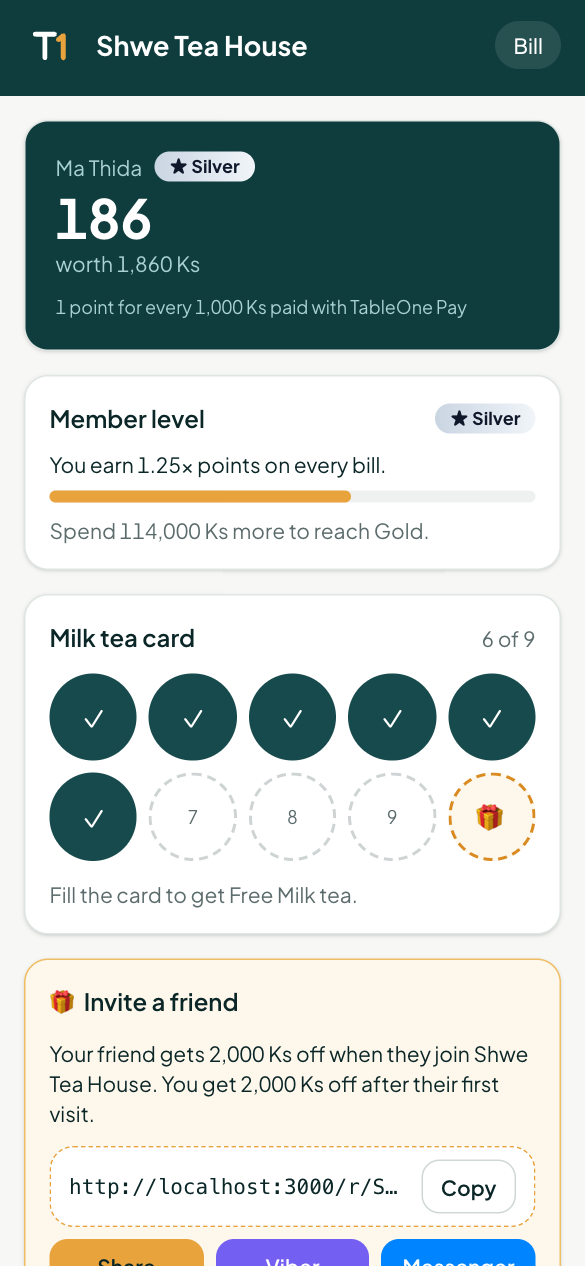
On their member page and in My TableOne, members see their level badge, how much more to spend for the next level, and their stamp cards with the stamps filled in.