Reviews after the meal
A one-tap rating after paying. Happy diners review you on Google or Facebook; unhappy ones tell you privately.
After paying, diners are asked How was your meal? and rate it from 1 to 5 stars. One tap, no typing.
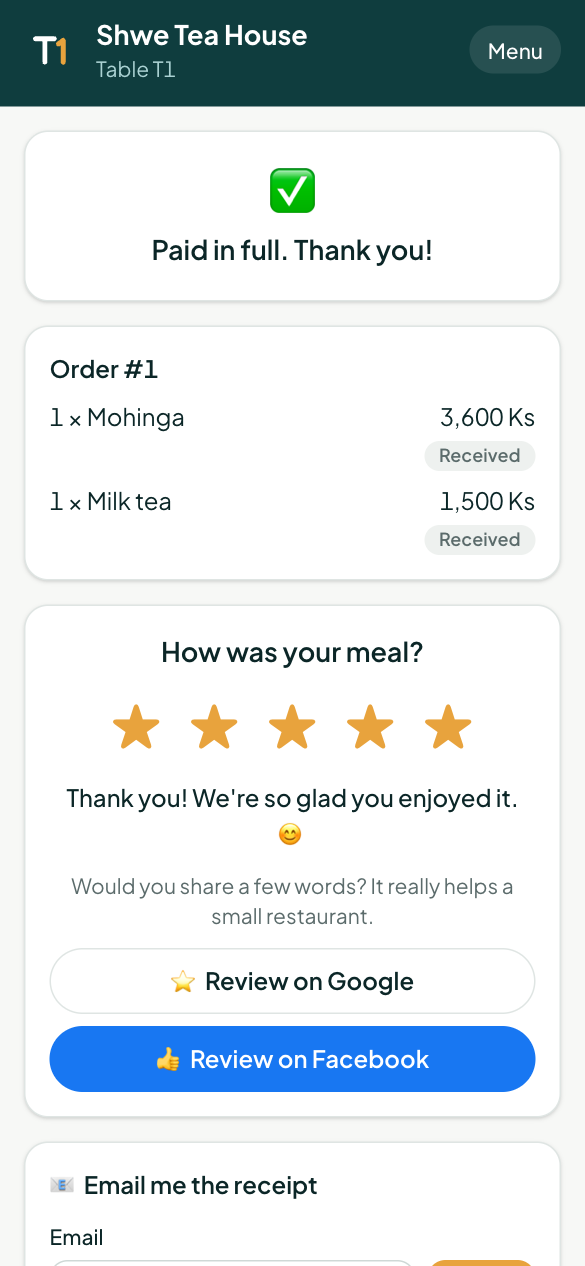
- 4 or 5 stars: they're thanked and invited to review you on Google or Facebook.
- 1 to 3 stars: they can tell you what went wrong, and leave a phone or email if they want a reply. This is never posted publicly: it comes only to you, and owners and managers get an email straight away.
So more happy diners post reviews, and complaints reach you before they reach the internet.
Turn it on
Open Loyalty & campaigns → Reviews:
- Tick Ask diners for a rating after paying.
- Paste your Google review link: in your Google Business Profile, tap Ask for reviews and copy the link.
- Paste your Facebook page link (your page's Reviews tab).
- Tap Save.
Ratings and private feedback
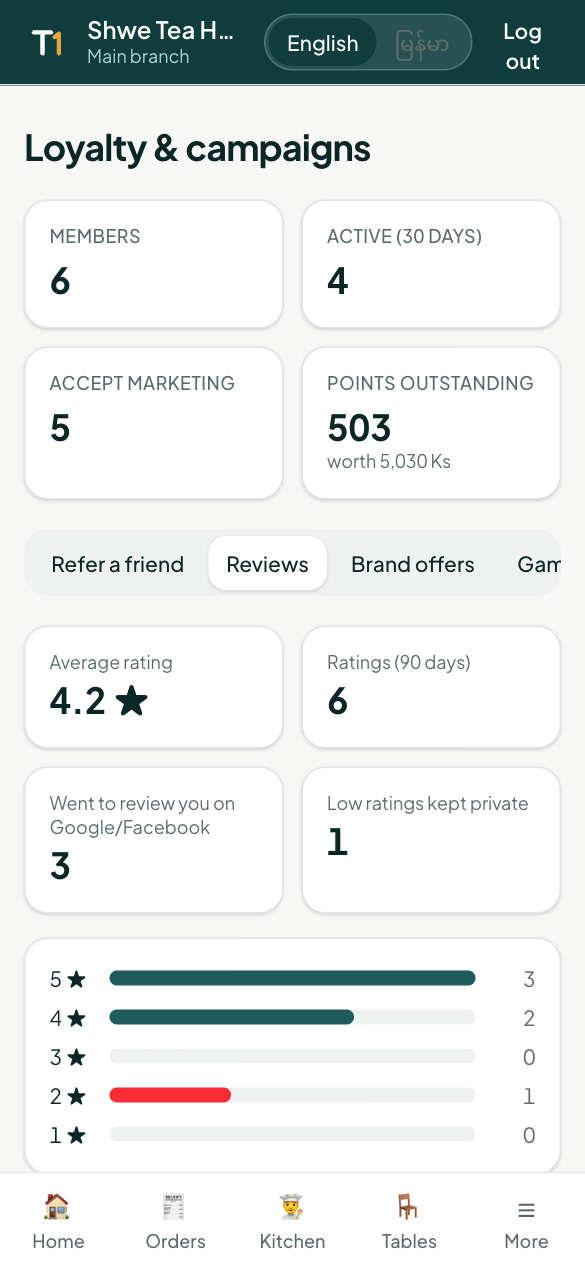
The Reviews tab shows your average rating, how many ratings you got in the last 90 days, how many diners went on to review you publicly, and the spread of stars.
Under Private feedback you see each low rating with the diner's comment. Call or message them if they left a contact; then tap Mark resolved.