Refer a friend
Every member gets an invite link to share on Viber or Messenger. Their friends become your new customers.
Your happiest customers are your best advertising. With Refer a friend, each member gets their own invite link. Their friend gets a gift for joining, and the member gets a reward when the friend comes and pays. Open Loyalty & campaigns → Refer a friend.
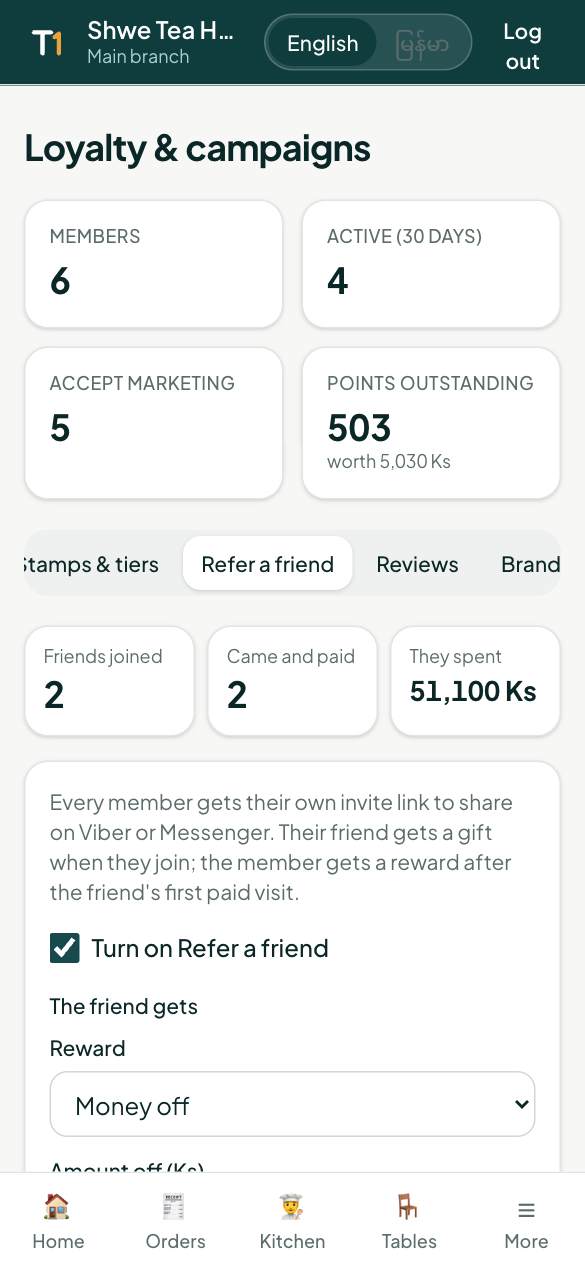
Turn it on
- Tick Turn on Refer a friend.
- Choose what the friend gets when they join, for example 2,000 Ks off.
- Choose what the member who invited gets, for example 2,000 Ks off.
- Set the friend's first bill at least amount. The member's reward comes only after a real visit of that size.
- Tap Save.
At the top you see how many friends joined, how many came and paid, and what they spent.
How it works for diners
A member opens their member page (or My TableOne) and taps Share, Viber or Messenger, or copies their link.
The friend opens the link, sees the gift, and joins in a few seconds.
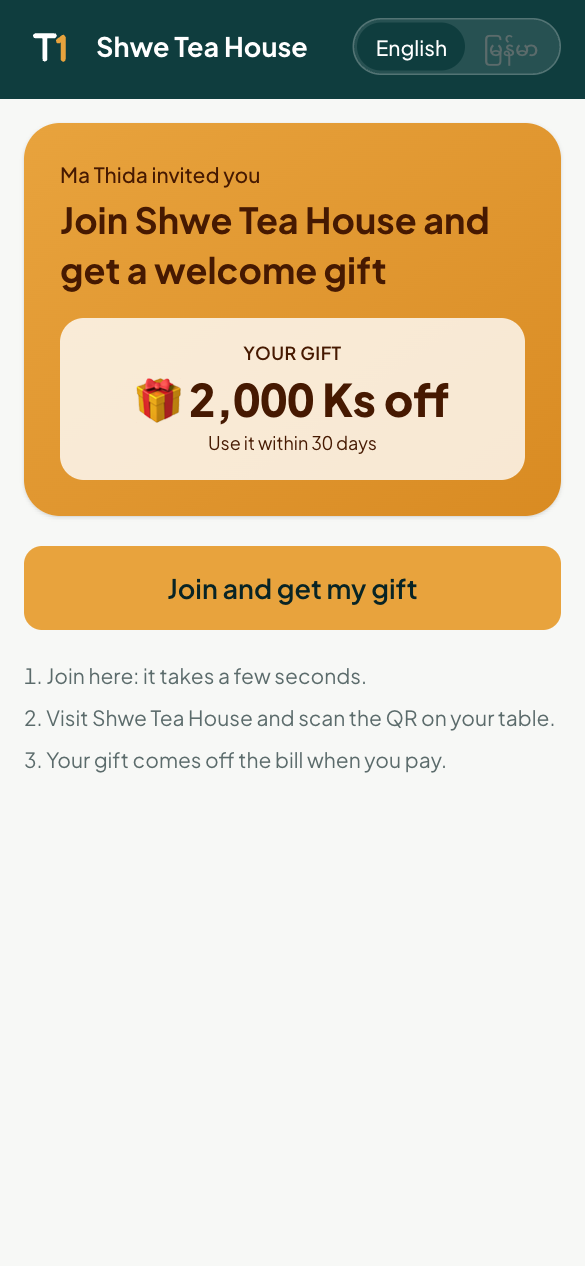
The invite page a friend sees The gift is waiting on the friend's card. When they visit, they scan the table QR and sign in with the same phone; the gift comes off the bill.
After the friend's first paid visit, the member who invited them gets their reward automatically.