Customers (CRM)
See every customer, what they spend and who your best customers are — and message them.
Open More → Customers (owners and managers). Every diner who joins your Loyalty is here.
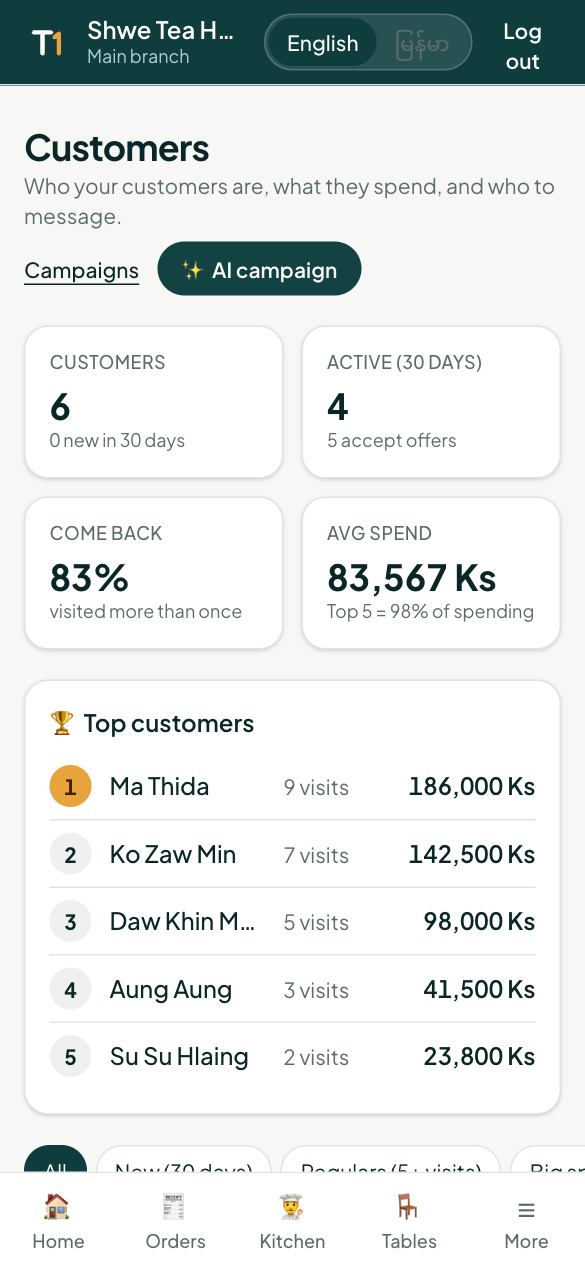
At a glance
- Customers and how many are new this month
- Active (30 days) and how many accept offers
- Come back — the share who visited more than once
- Avg spend, and how much of your sales come from your top 5 customers
- Top customers — your biggest spenders
Segments, search and sort
Tap a segment: New, Regulars (5+ visits), Big spenders (top 10%), Haven't been back (60 days), Birthday this month, Accept offers, Joined, no visit yet. Search by name, phone or email and sort by spend, visits or last visit.
A customer's page
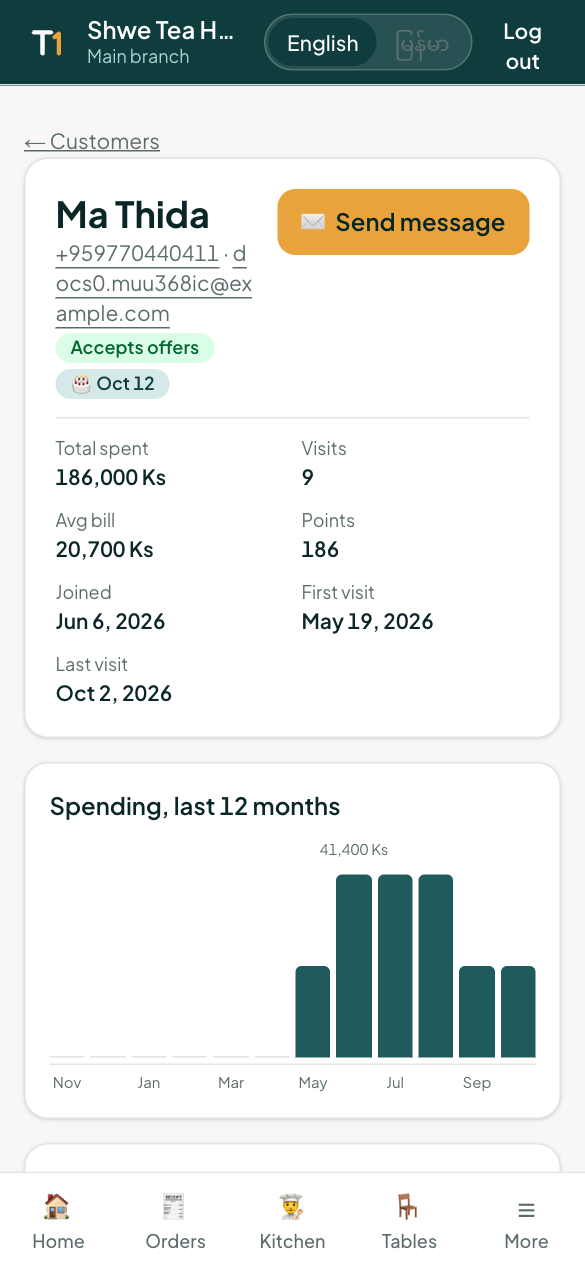
Tap a customer to see their contact details, birthday, total spent, visits, average bill, spending over the last 12 months, favourite dishes, every visit with its receipt, rewards, points and the messages they received.
Message customers
- Tick customers → Message, or Message all in the segment you're looking at.
- On a customer's page, Send message to just them.
- Or ✨ AI campaign to write it with AI (see Campaigns).
Only customers who accept offers receive marketing messages.