Campaigns
Viber, SMS and email campaigns written by AI, with food photos, previews and results.
Campaigns bring customers back. TableOne sends them for free.
Create a campaign with AI
Open Loyalty & campaigns → Campaigns → ✨ Create a campaign with AI (or ✨ AI campaign on the Customers page).
- Goal — say what you want, or tap an idea: Win back lapsed, Birthday treat, New dish, Fill a slow day, Thank top customers, Event / holiday.
- Audience — a segment, showing how many accept offers by phone and by email. Leave it and AI picks one.
- Offer & style — an existing Promotion, or let AI suggest one; send by Viber, SMS or Email; tone and languages.
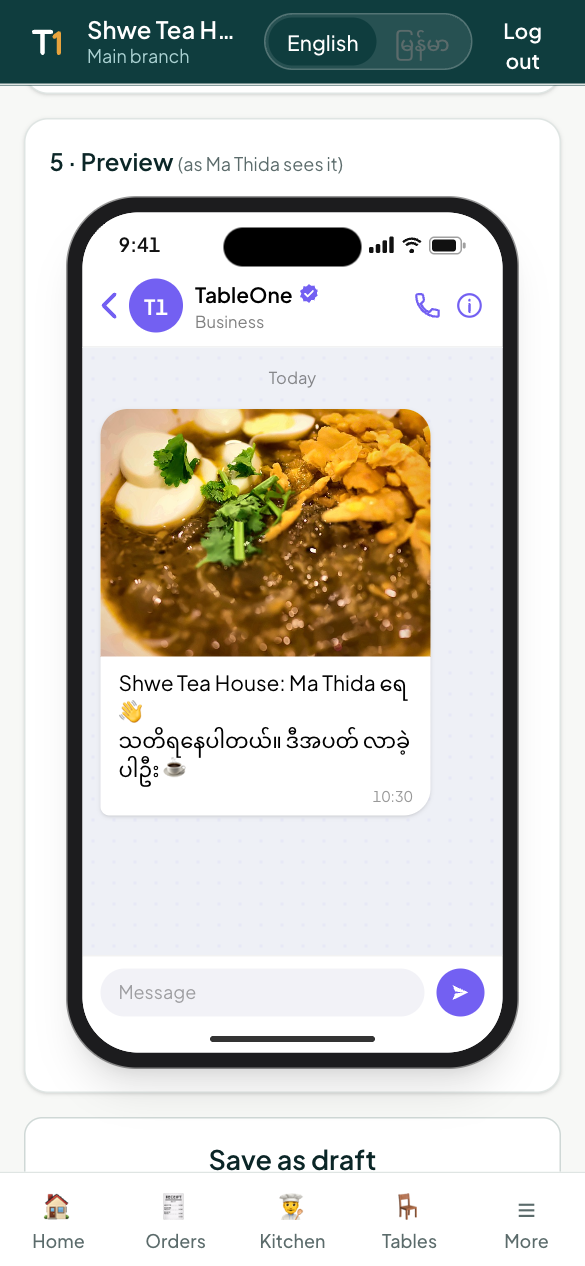
- Picture — your best-selling dish's photo is chosen for you. Pick another menu photo, Create with AI (a food photo with no text), Upload, or no picture. Viber and email are sent with it.
- ✨ Write with AI — AI writes the SMS, the Viber message and the email (subject and text) in natural Myanmar and English. Edit anything.
- Preview — see it on an iPhone: Viber, Messages and Mail, exactly as customers will.
- Send now or Save as draft.
How messages are sent
| Channel | Who gets it |
|---|---|
| Viber | Members with a phone; if Viber can't reach them, they get the SMS text instead |
| SMS | Members with a phone (text only, no picture) |
| Members with an email; members who joined by email only always get the email |
Only members who accept your offers receive campaigns. Emails include an unsubscribe link; members can also turn offers off in My TableOne.
Placeholders
Write {name} for the customer's name, {code} for the Promotion code and {restaurant} for your name.
Automatic campaigns
Welcome, thank-you, birthday and "we miss you" messages send themselves. Set them up in Journeys, where you also see how much each one brought in.
Drafts and results
Tap a campaign's name:
- A draft opens in the studio to finish and send.
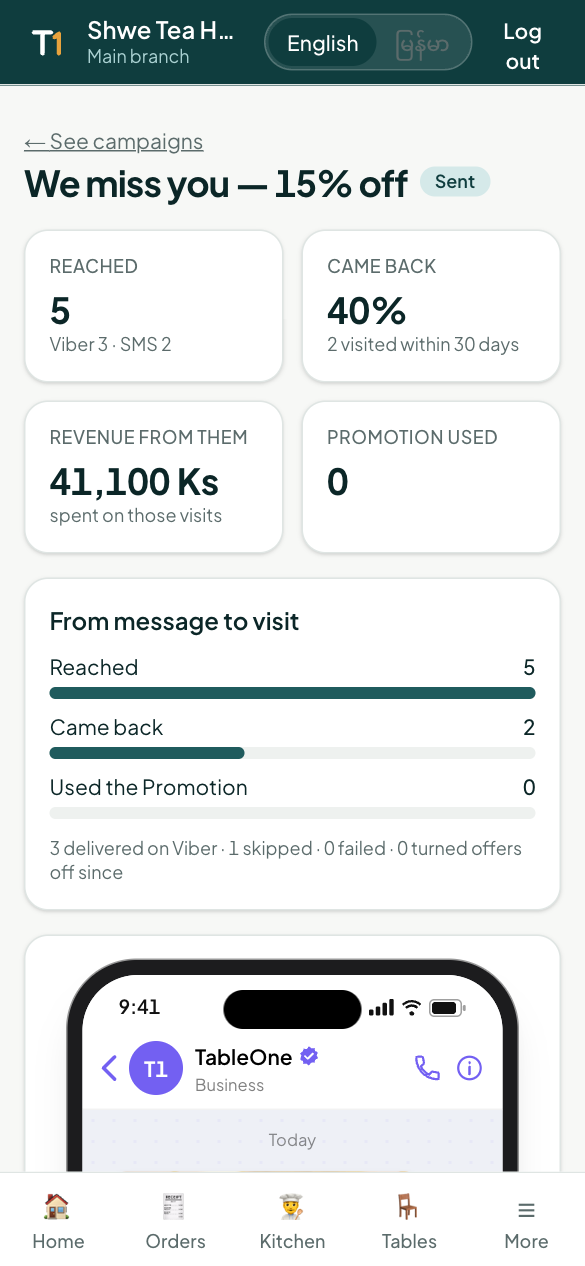
- A sent campaign shows its results: how many were reached, how many came back within 30 days, the revenue from them, how many used the Promotion, and every recipient.
Codes in the customer's account
Promotions sent in a campaign appear in the customer's My TableOne as coupons, and on their bill under Your rewards, ready to use.